
How to Convert a Canva Invitation Into a WhatsApp RSVP Link

Making a gorgeous Canva invitation is simple. The challenge appears after the design is complete: how to share the design, how to gather the RSVPs, and how to stay in touch with who is coming?
The simple way to get it done is to upload your invitation to InviteFlare, fill in your event information, create a shareable link, and send that link via WhatsApp. Guests can access the invitation online, submit their RSVP, and you can monitor all responses from one dashboard.
From birthdays, baby showers, weddings, anniversaries, and housewarmings to corporate events, making your Canva design a WhatsApp RSVP invitation makes it easier to manage your guests and eliminates the manual hassle of gathering RSVPs.
Why Canva Invitations Alone Aren’t Enough?
While Canva is a great tool for creating designs, it is not designed to be used for RSVP management.
If you send an invitation from Canva as an image or PDF directly via WhatsApp:
– The guest’s response must be done by hand.
– The responses to RSVP are hidden in the chat.
– Failing to follow up with guests can be hard.
– You have no control over the number of guests attending your event.
– It can get tedious to monitor attendance
This is where InviteFlare comes in handy:
You don’t just send out a static image; you transform your Canva evite into a shareable invitation page that includes RSVP tracking.
How to Convert a Canva Invitation Into a WhatsApp RSVP Link?
Just a couple of minutes, and RSVP ready Canva invite will be ready!
Step 1: Design Your Invitation On Canva
To make your online invitation, go to Canva and design your invitation as you normally would.
Don’t forget to add the following information:
– Event name
– Date
– Time
– Venue
– The guidelines for dress will be followed (where appropriate)
– Special instructions
– After you have your design completed, export it as
– PNG
– JPG
All these can be easily uploaded to InviteFlare to get the RSVP advantage.
Step 2: Upload your invitation to InviteFlare
Log in to InviteFlare and make a new invitation.
Upload the Canva invitation file that you have exported.
InviteFlare creates a website invitation page for you, which you can view from any device.
This enables guests to see the invitation without downloading big files or zooming in on the picture invitation sent through texts.
Step 3: Enter Event Information
Once you’ve uploaded your design, enter the details of your event:
– Event title
– Event date
– Event time
– Location
– Description
– RSVP deadline
This information enables guests to quickly and effectively grasp what’s going on and take appropriate action to answer the question.
Step 4: Enable RSVP Collection
Respond directly from the invitation page: They will be able to reply directly from the invitation page, letting you know if they are going to come or not.
All of the responses are centralized within your InviteFlare dashboard as opposed to dozens of WhatsApp messages.
Step 5: Create Your Invitation Link
When all is set, post your invitation.
InviteFlare creates an exclusive invitation link with the following included:
– Your Canva design
– Event information
– RSVP functionality
This is the URL that you will share with your guests via WhatsApp.
Step 6: Share The Link via WhatsApp
Take a copy of your invitation link and send it via WhatsApp to:
– Individual chats
– Family groups
– Friends groups
– Community groups
– Broadcast lists
All the guests need to do is click it, get the invitation, and submit their RSVP.
Step 7: Generate an RSVP Report from InviteFlare
InviteFlare automatically updates the RSVP list as guests respond.
You can easily see:
– Accepted invitations
– Declined invitations
– Pending responses
– Total guest count
No spreadsheets. No manual tracking. No need to go through WhatsApp chats.
Examples Of Whatsapp Messages You Can Copy
Birthday Party Invitation
Hi everyone! 🎉
Feel free to join us in celebrating my birthday.
Please view and RSVP here:
[Invitation Link]
Hope we can celebrate together in the future!
Wedding Invitation
We are delighted to invite you to our wedding celebration!
Please read and respond to the invitation using the link below:
[Invitation Link]
We will be celebrating this special day with you soon!
Baby Shower Invitation
We’re excited to celebrate our upcoming little one!
Please view and reply to the invitation here:
[Invitation Link]
We hope you will be able to attend; we look forward to seeing you!
Housewarming Invitation
We are new in our new home, and we want you to come and celebrate with us.
Check out the invitation and RSVP here:
[Invitation Link]
We’re excited to see you!
Here are some templates that you can check out if you don’t have a design:
Benefits of Using InviteFlare With Canva Invitations
Keep your Canva design
There’s no redesigning work to be done.
Just upload your invitation created in Canva.
Send Easily on WhatsApp
Create a single invite link and send it out to everyone using WhatsApp!
Track RSVPs Automatically
InviteFlare consolidates all guests’ responses into one place.
Reduce Follow-Ups
You’ll be certain who has responded and who needs to be reminded.
Develop a better guest experience
Guests are not sent a static image or PDF for the invitation page but a professional invitation page.
Make an invitation, include event information, make a shareable link, and begin accepting RSVPs in only a few minutes.
Why Use InviteFlare Invite Maker?
– Easy invitation creation
– Mobile-friendly invitation pages
– RSVP tracking dashboard
– WhatsApp-friendly sharing
– Guest response management
– It’s suitable for any kind of event.
Why InviteFlare’s WhatsApp Invitation Maker Stands Out
Unlike other applications/websites, InviteFlare is created especially for sharing the invite and handling the RSVP. InviteFlare makes it easy to not only design an invitation but also upload, create, and then gather and track all RSVPs in one place.
But the standout feature is its WhatsApp-first experience. An invitation link can be created and sent via WhatsApp groups, chats, or broadcast lists, and all guest responses can be tracked on InviteFlare. There is no need for the users to download an app and no need for the hosts to edit their responses in WhatsApp conversations.
InviteFlare is also customizable to accept your own Canva or custom-made invitation design to ensure that you have complete creative control and still receive professional RSVP tracking. This all leads to an improved event invitation management process, which is faster, cleaner, and more organized.
Ready to get started?
Make the WhatsApp invitation now, and begin receiving RSVPs without having to handle these separately.
Have you already designed your invitation? Upload it to InviteFlare.
The design flexibility is a reason why many hosts opt to create virtual invitations using Canva but they often feel they are missing out in the field of Whatsapp sharing and RSVP.
You can upload your current Canva design and make it into an RSVP invite that you can share.
Perfect For:
– Housewarming celebrations
– Corporate events
– Community gatherings
Upload your invitation design and make it a WhatsApp RSVP link in no time!
Errors To Avoid While Sending the Invitation Link
Sending Only an Image on WhatsApp
Images are great, but not very easy to track when it comes to RSVP.
Always use an invitation link that is RSVP enabled.
Collecting Responses Manually
With dozens of individual messages, it can get very overwhelming.
Take advantage of a single RSVP system to streamline the process.
Forgetting RSVP Deadlines
Be sure to add a deadline for RSVPing so that guests know when to reply.
Not Tracking Pending Guests
It is much easier to follow up when you have a good look at who hasn’t replied.
Frequently Asked Questions
Is it possible to add a Canva invitation to InviteFlare?
Yes. Choose PNG, JPG, or PDF and export your Canva design to InviteFlare.
Is the RSVP taking place within WhatsApp?
No. It’s the invitation sent via WhatsApp, and responses are received and managed by InviteFlare.
Can I use InviteFlare for wedding invitations?
Yes. InviteFlare can be used for weddings, anniversaries, baby showers, birthdays, corporate events, and much more.
Is it required to have an InviteFlare account?
No. The invitation will be made available, and guests can respond via the invitation link even if they don’t have an account.
Is it possible to monitor all answers in one location?
Yes. All RSVP responses are collected in one place in a centralized dashboard.
Can I share the same link to various groups on WhatsApp?
Yes. Invitation links can be used in one-on-one chats, groups, and broadcast lists.
Convert Canva Invitation Into a WhatsApp RSVP Link
Once you’ve designed your Canva invitation, you’re not done. If you want to keep track of all the guests’ responses effectively, you need to choose an easy solution to collect and track RSVP responses.
Uploading your Canva invitation to InviteFlare, inputting your event details, and sharing the invitation link via WhatsApp will help you convert a static invite into a full-fledged RSVP-enabled experience.
You will not have to handle endless WhatsApp responses or any organized response from your guests or see who is attending from one place.
It is the graduation season. Do you want to know how to organize an amazing graduation party? Here are some inspirations for your party:
Graduation Party Ideas You Should Keep In Mind While Planning
15 Graduation Party Suggestions and Ideas to Win Hearts
Want stunning graduation party ecards that actually stand out? Try InviteFlare today!
Free Party Invitations to Customise
See all →Beautiful templates — personalise and send in minutes, no design skills needed.


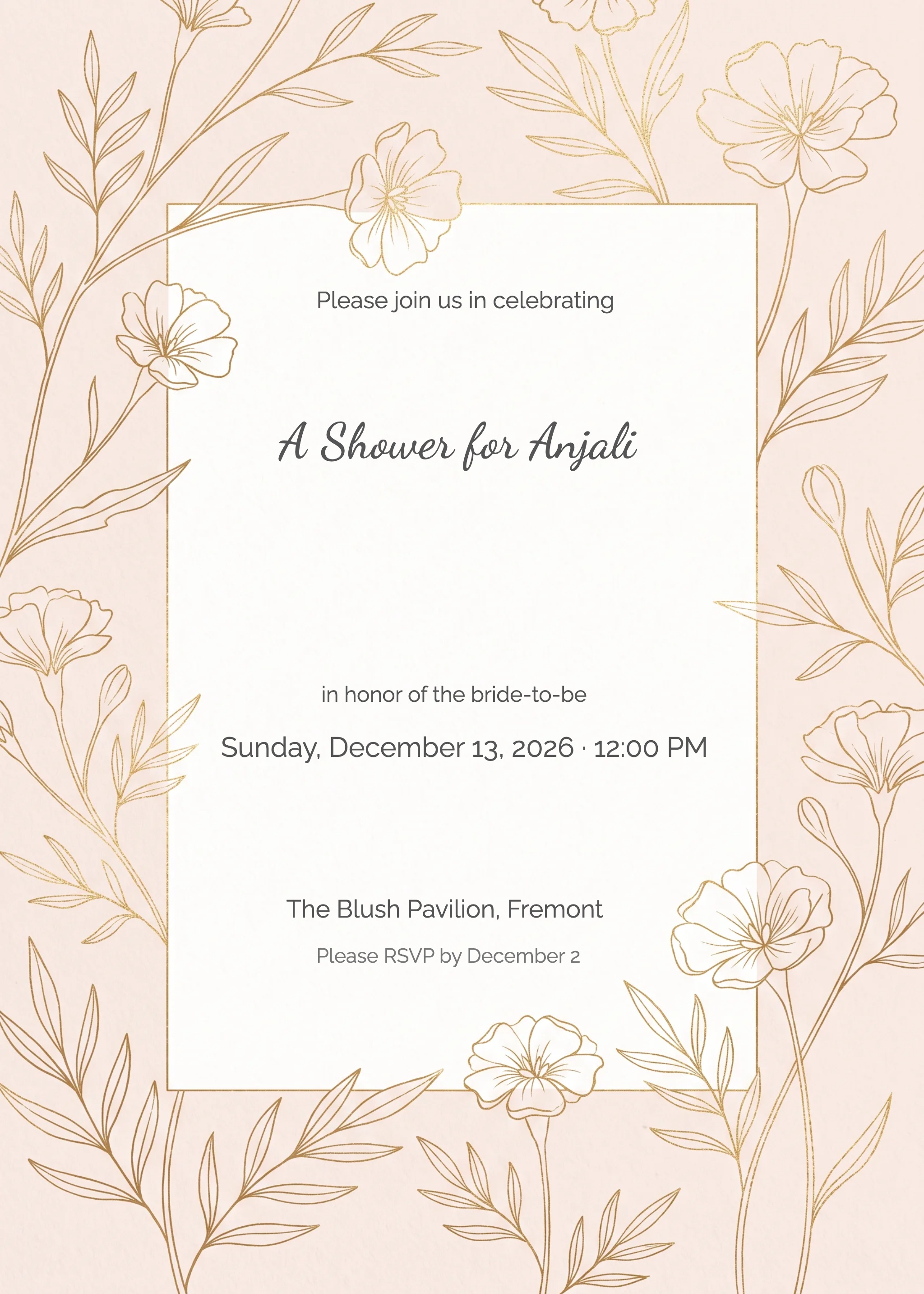
InviteFlare has hundreds of free, customisable templates. Send digitally in seconds — no printing, no hassle.


